
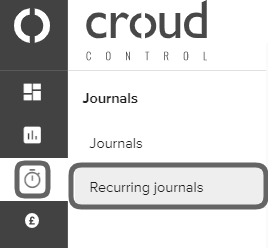
To delete a recurring journal, go to the main navigation bar and click on “Journals” and then “Recurring Journals.
Click on the vertical ellipsis overflow button of the journal you want to delete. Then click “Delete” and a confirmation message will be displayed.