
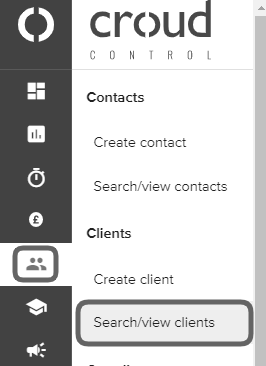
To add yourself to clients for journaling purposes or to be able to create jobs for that client, go to the “User Manager” in the main navigation menu and go to “Search/view clients”.
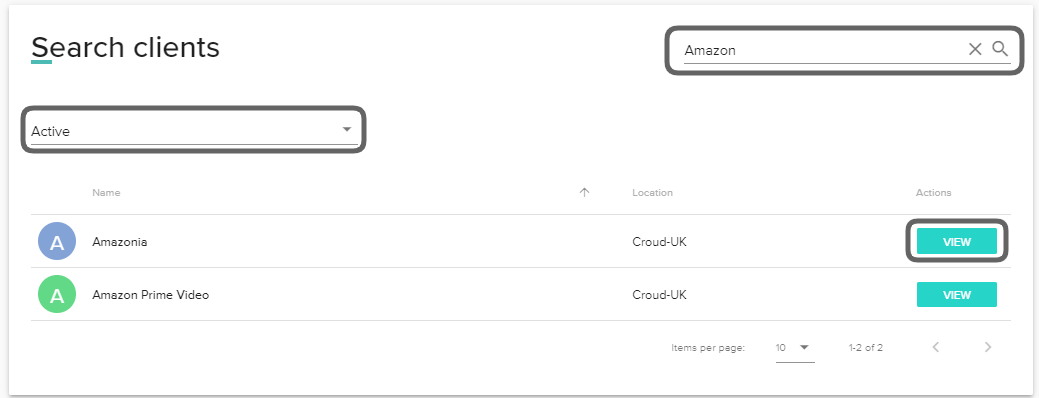
Search for the client in the search bar and set the filters based on whether the client is active/pending and click “View”.
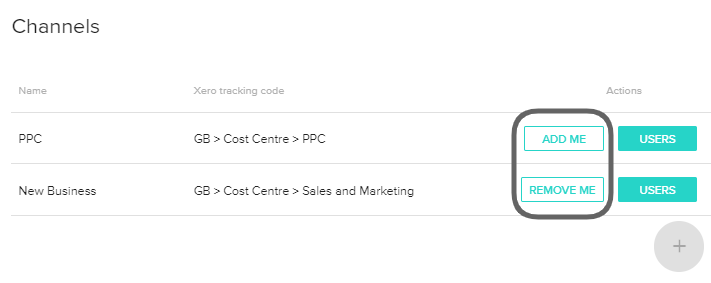
The client profile will then be displayed. Scroll down to the channels section. Within here, you have the ability to add yourself by clicking on “Add me” next to any relevant channels. By clicking on this action, it will allow you to create a journal as well as create jobs for that client and channel.
Within this section, you also have the option to remove yourself by clicking on “Remove me”. Actioning this will not allow you to journal or create jobs against that channel for the client.
If the channel isn't displayed, this means the channel hasn't been activated by the finance team. Please contact cc.activation@croud.com and they will be able to assist.