
Target minutes are the total number of minutes that you need to journal for each day. The number of target minutes that you must journal each day will be based on your contracted working hours. For example, if you work 37.5 hours per week (i.e. full time at Croud), then your target will be 450 minutes per day.
You are not required to journal your lunch hour.
Your target minutes will be set by HR during your initial induction to the business; you are not able to set target minutes yourself. To view your target minutes set for you by HR, go to “My Profile”.
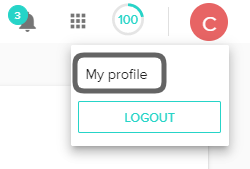
Once you are in your profile, scroll down to the Availability & Leave section. This section details a calendar view of your target minutes in addition to any leave minutes you have added.
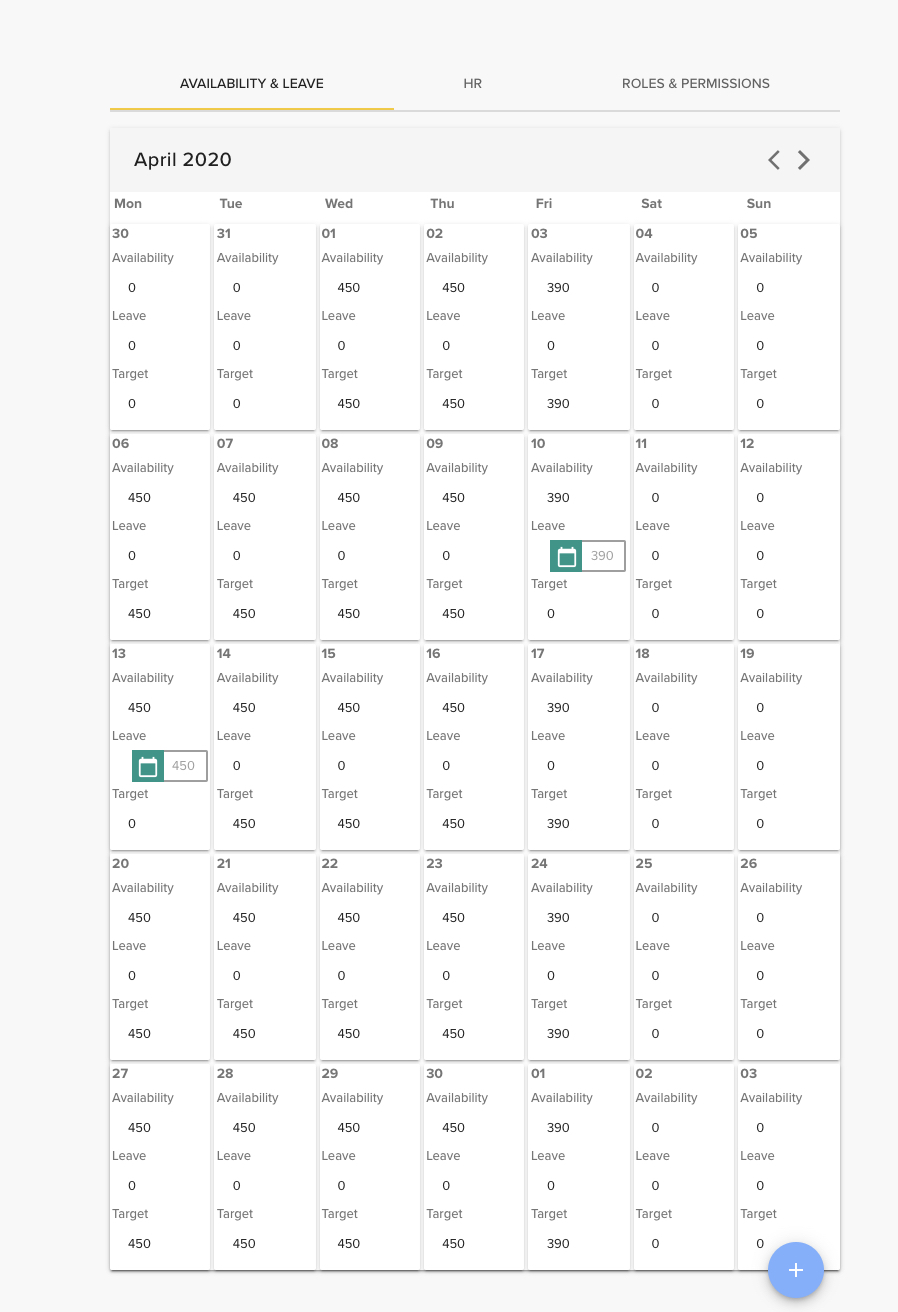
Adding leave to your Availability & Leave calendar is a process that you can self-manage. If you are going to be taking annual leave or authorised leave (e.g. a hospital appointment or company-authorised early finish) then you should follow the below process. Please note that you must have any annual leave authorised by your line manager in PeopleHR before you add this to your Availability & Leave calendar in Croud Control.
Click the blue “plus” button at the bottom of the Availability & Leave calendar.
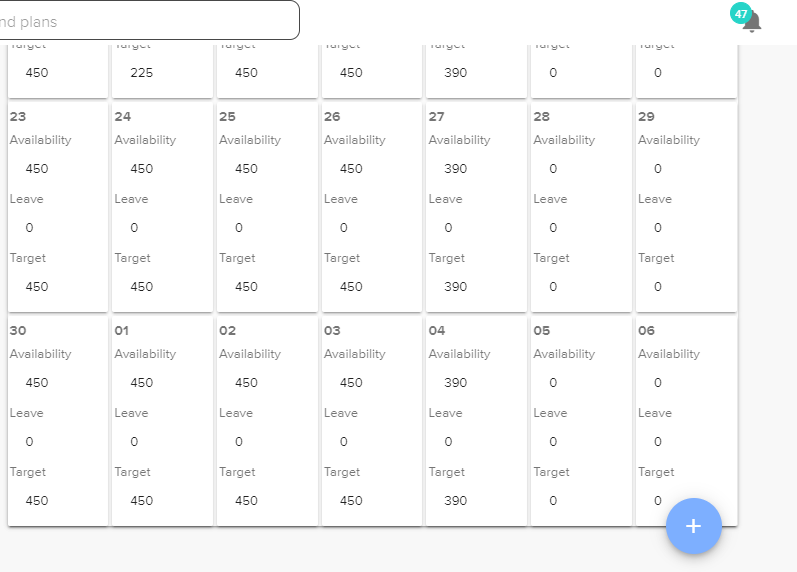
In the following pop-up window, simply enter your leave details and select ‘Holiday’ or ‘Authorised Leave’ from the drop down menu at the bottom of this form.
You will also see a ‘Sick Leave’ option. Croud’s HR team will add any sick leave to your Availability & Leave calendar for you, therefore you will never need to enter this option yourself.
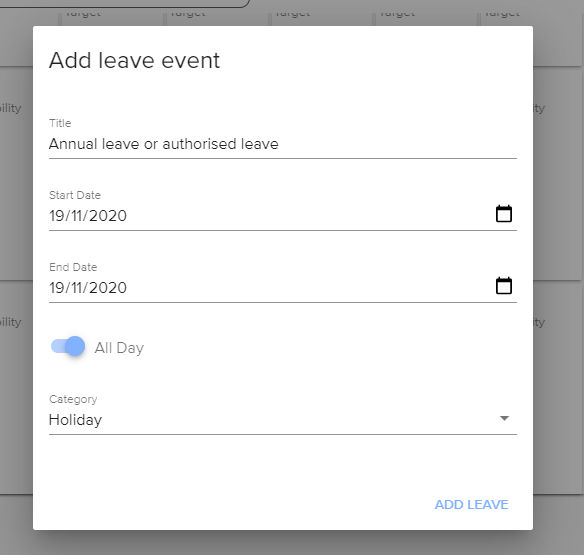
You can add half a day’s leave by toggling the “All Day” radio button to the off setting and adjusting the number of minutes in your working day to reflect your leave. For half a day’s leave, you should complete the form as follows. Half a day equates to 225 minutes.
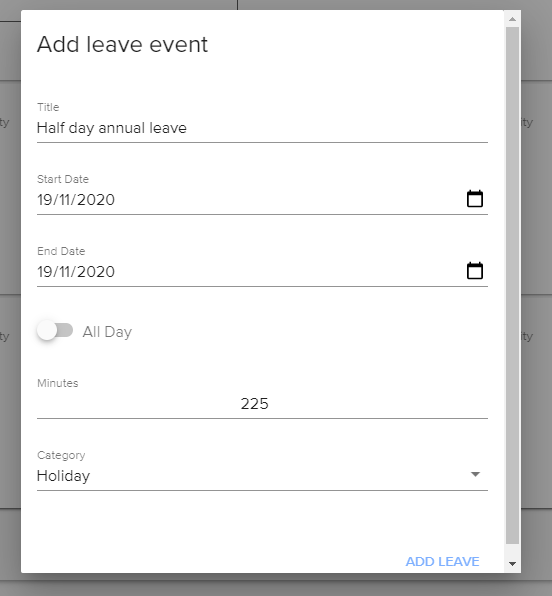
The process is very similar for if you are taking some time out of your day for other circumstances, e.g. medical appointments. Simply enter the amount of time that you will be out of the office in the ‘Minutes’ section and set the category dropdown option as ‘Authorised Leave’. Your target minutes remaining to journal for the rest of the working day will then be adjusted.