To view recurring tasks belonging to you or to other colleagues, click on tasks> recurring tasks from the main nav bar to the left.
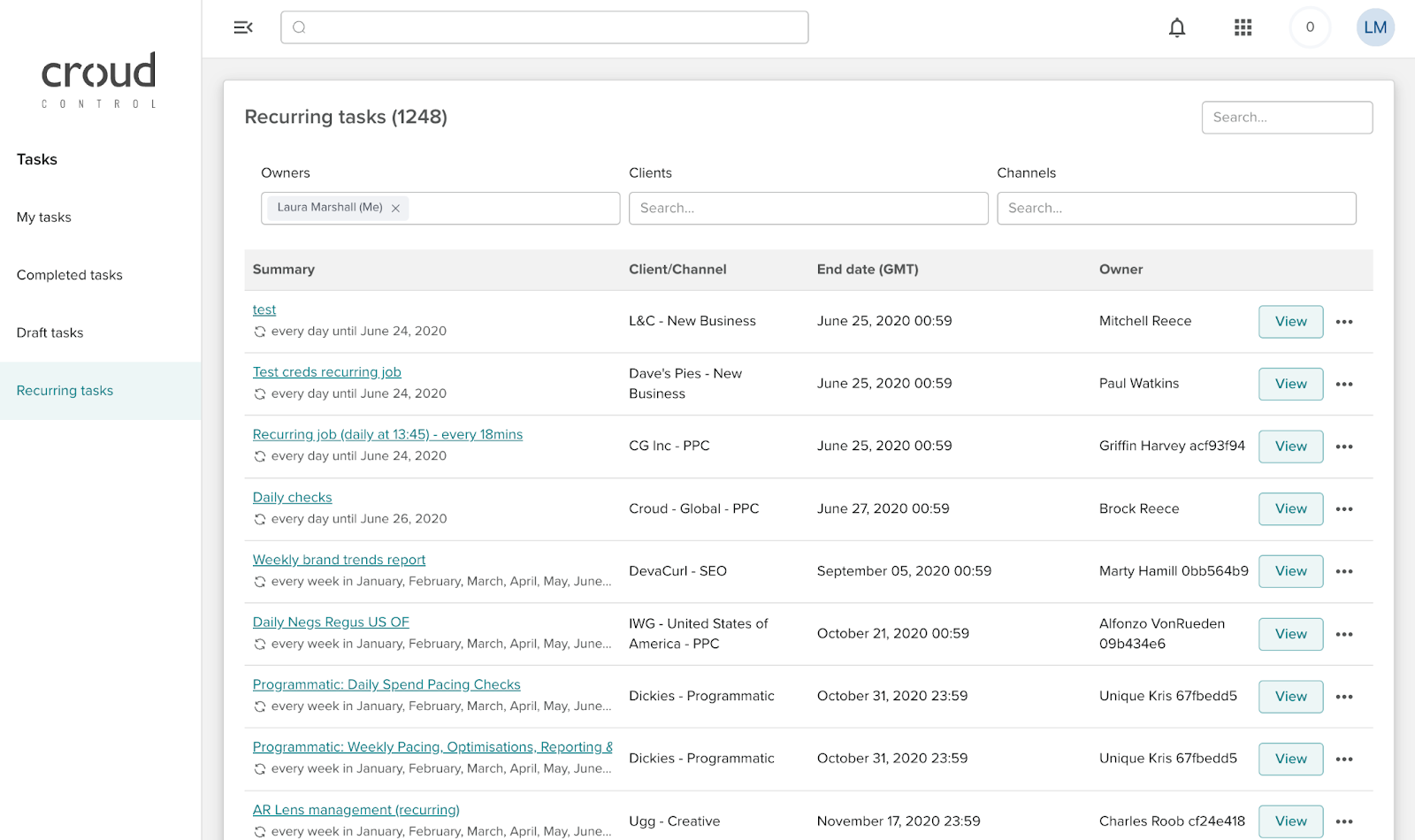
Within the ‘Recurring Task’ screen, you will be displayed a list of all of the recurring tasks that you own by default. You can search for the client name or task name in the search bar to find the recurring task you want to view, take ownership or delete.
Within this page, you will be able to view the name of the recurring task/client and channel, the job owner and the date that it started.
From within the ‘Recurring Task’ screen, you can also apply a filter to view recurring tasks belonging to other Croud colleagues. As well as filtering for other users, you can also filter by clients and channels. You can select multiple clients and channels.

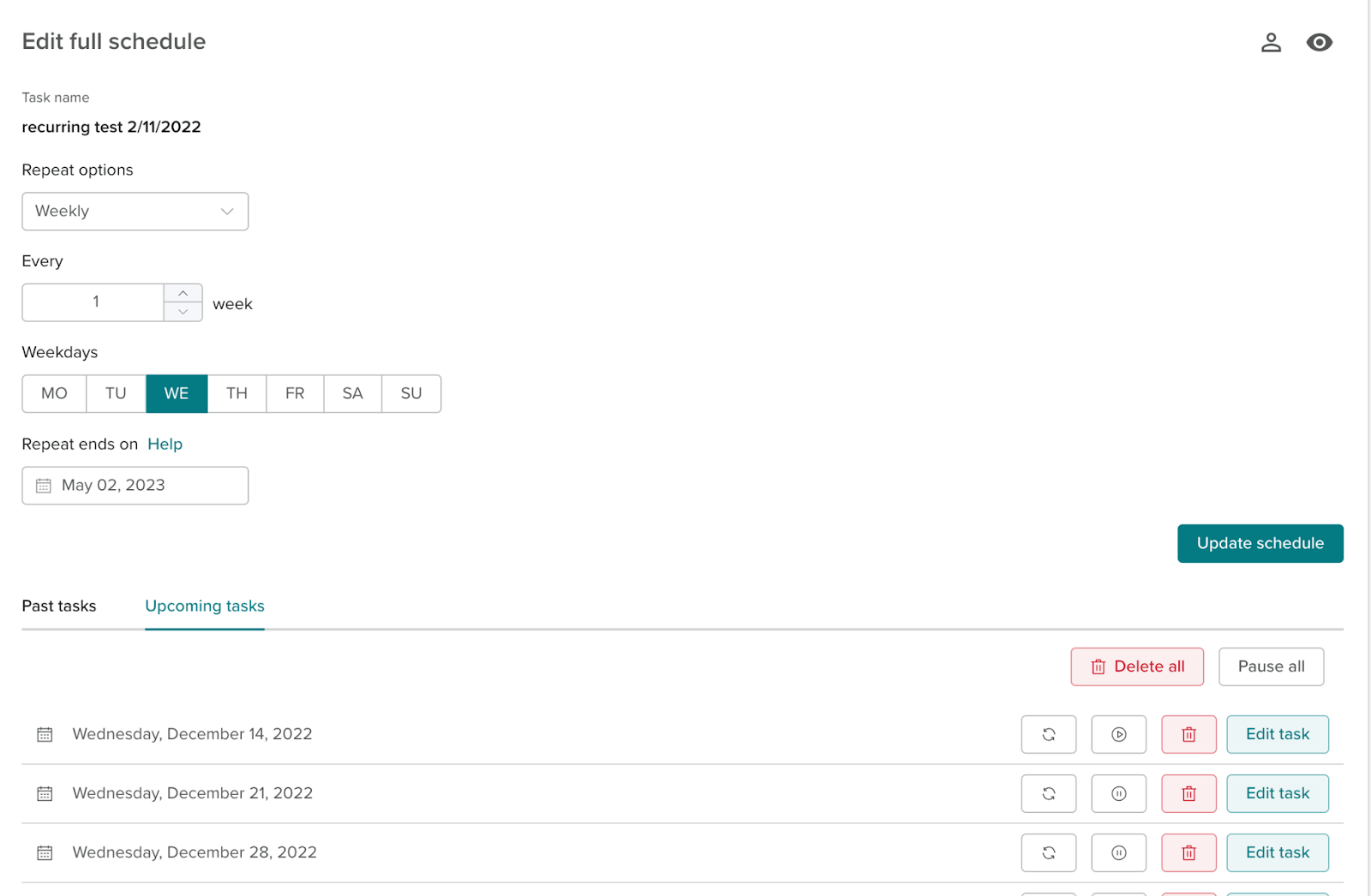
To see the full schedule of a task press the view button next to the task.

From this page, you can change ownership of a recurring task, add watchers, delete, edit schedule and pause schedule.