
Navigate to the recurring tasks page on the nav bar, from here you can view all your recurring tasks.
To edit the full schedule of a task, click on the view button next to a recurring task.
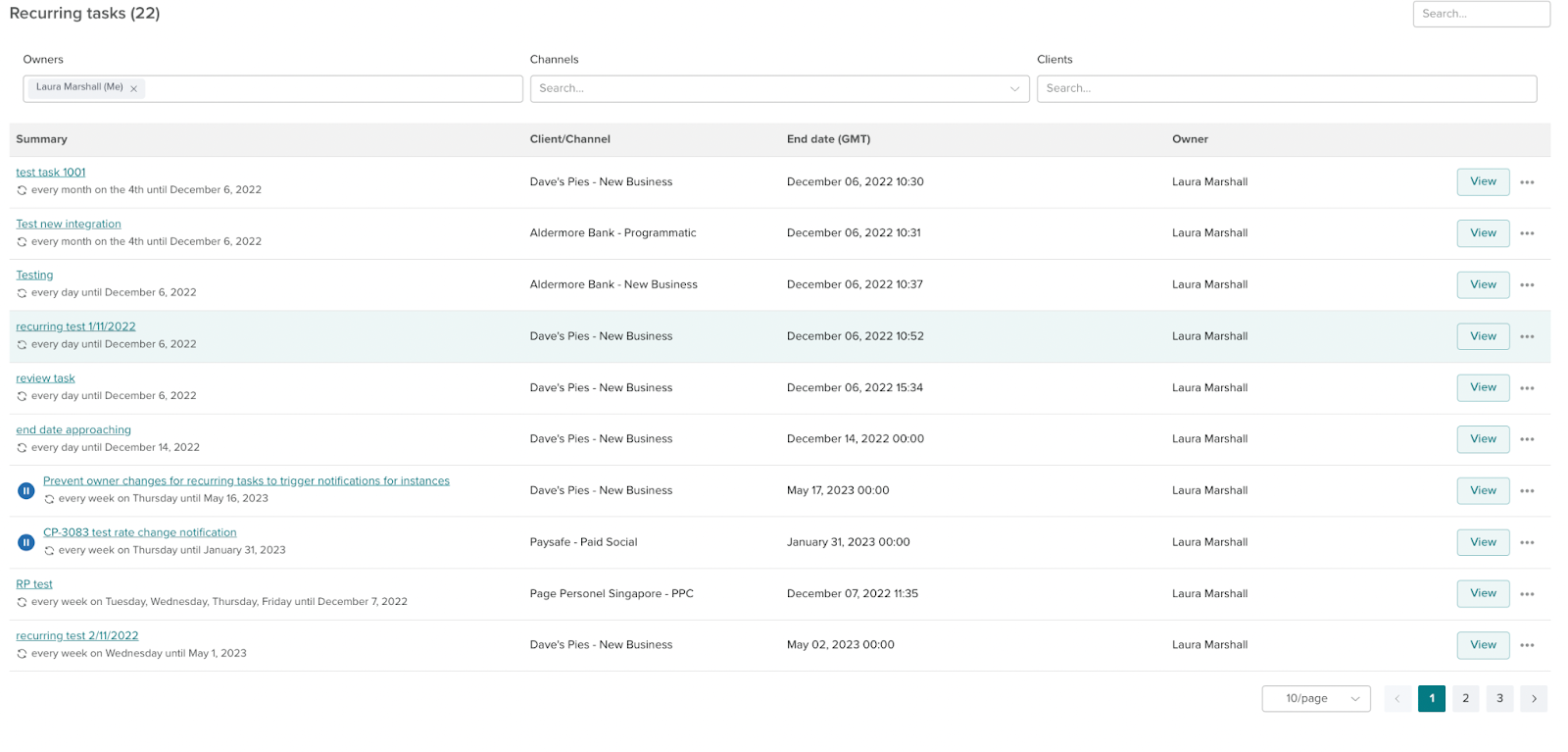
To take ownership of a single instance of a task, go to the full schedule page and click view on a single instance and it will take you to the task creation screen.
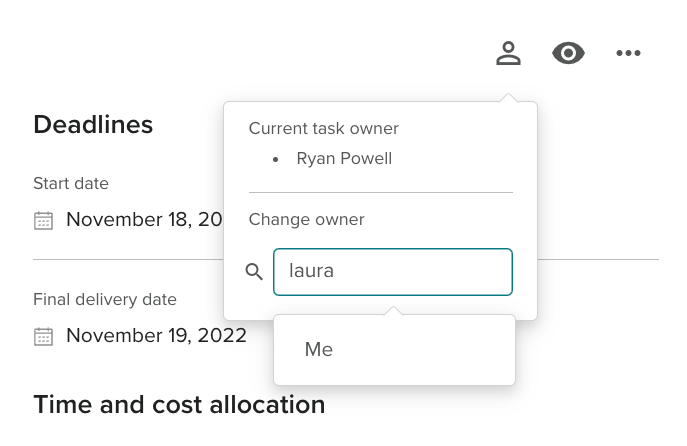
From there click the person icon and type in the FTE's name, if the user's name typed is the current FTE an option for “Me” will come up and if it is not it will be the FTE’s full name.
The new task owner will be associated with the client and/or channel if they weren’t previously associated with the client and/or channel.