
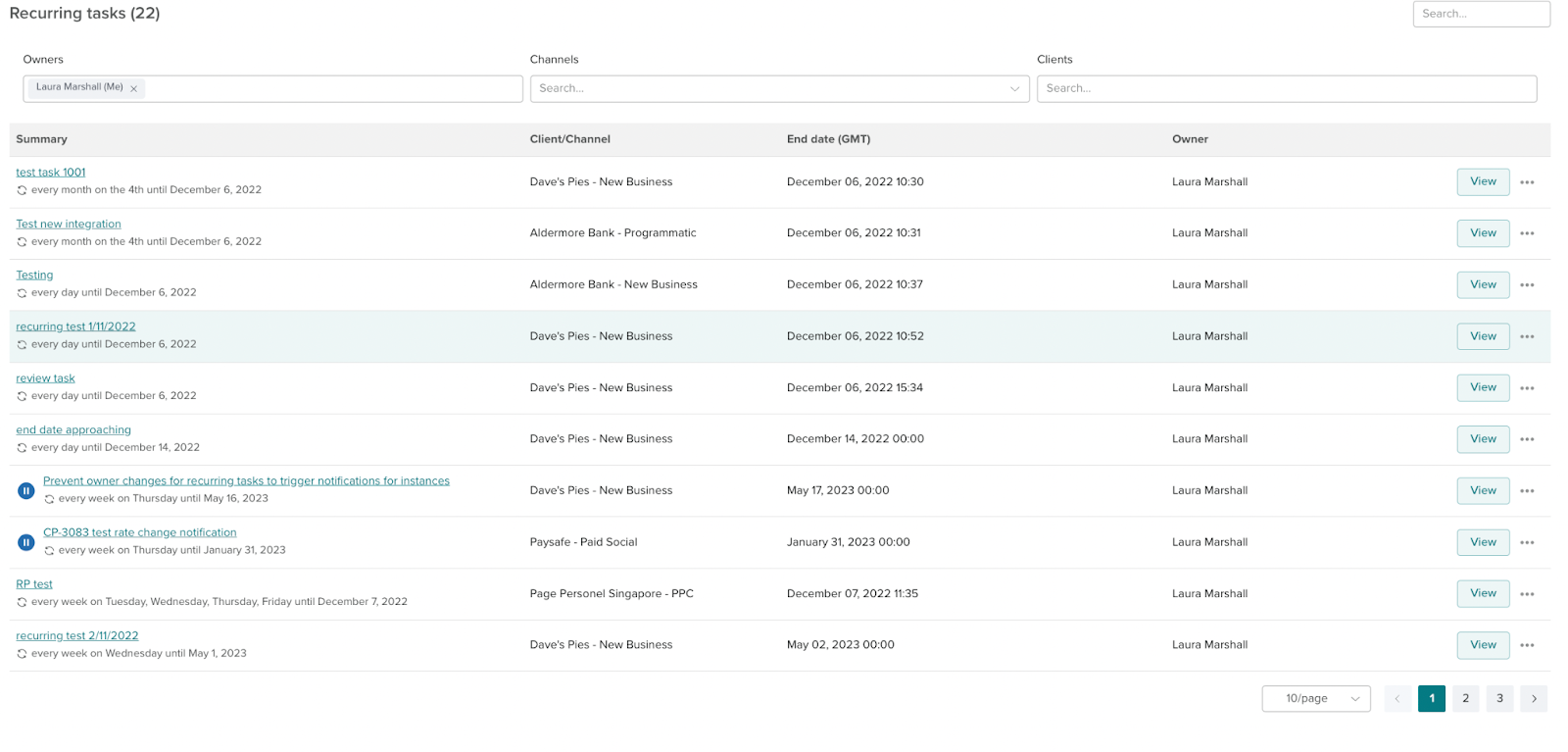
Navigate to the recurring tasks page on the nav bar, from here you can view all your recurring tasks.
To edit the full schedule of a task, click on the view button next to a recurring task.
To take ownership of all instances of a task, go to the full schedule page and click view on a single instance and it will take you to the task creation screen.
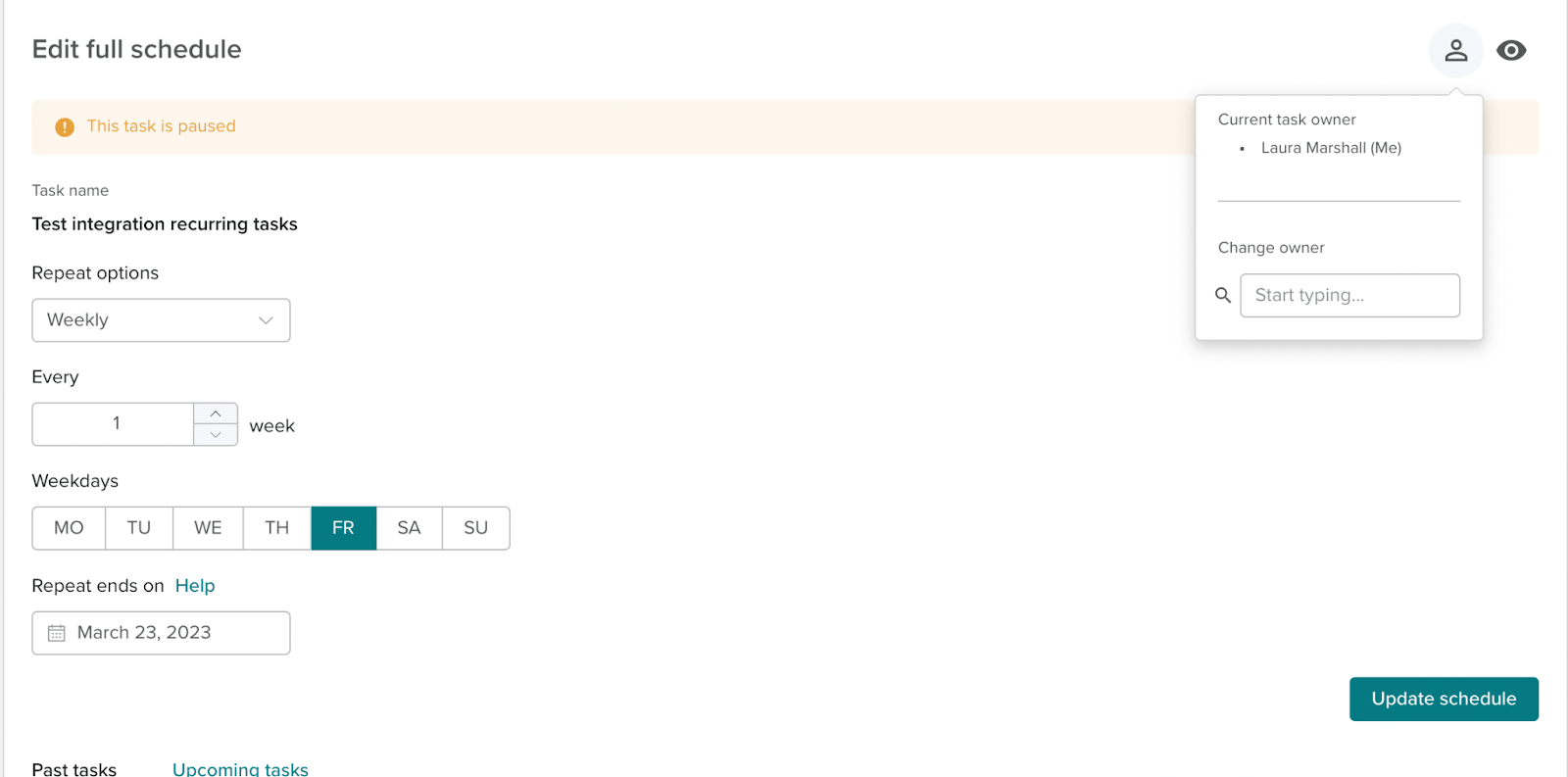
At the top of the edit full schedule page is the option to take ownership of the schedule.