
Navigate to the recurring tasks page on the nav bar, from here you can view all your recurring tasks.
To edit the full schedule of a task, click on the view button next to an instance of the recurring task, this will take you to the full schedule page. From here you can see all instances of the recurring task.
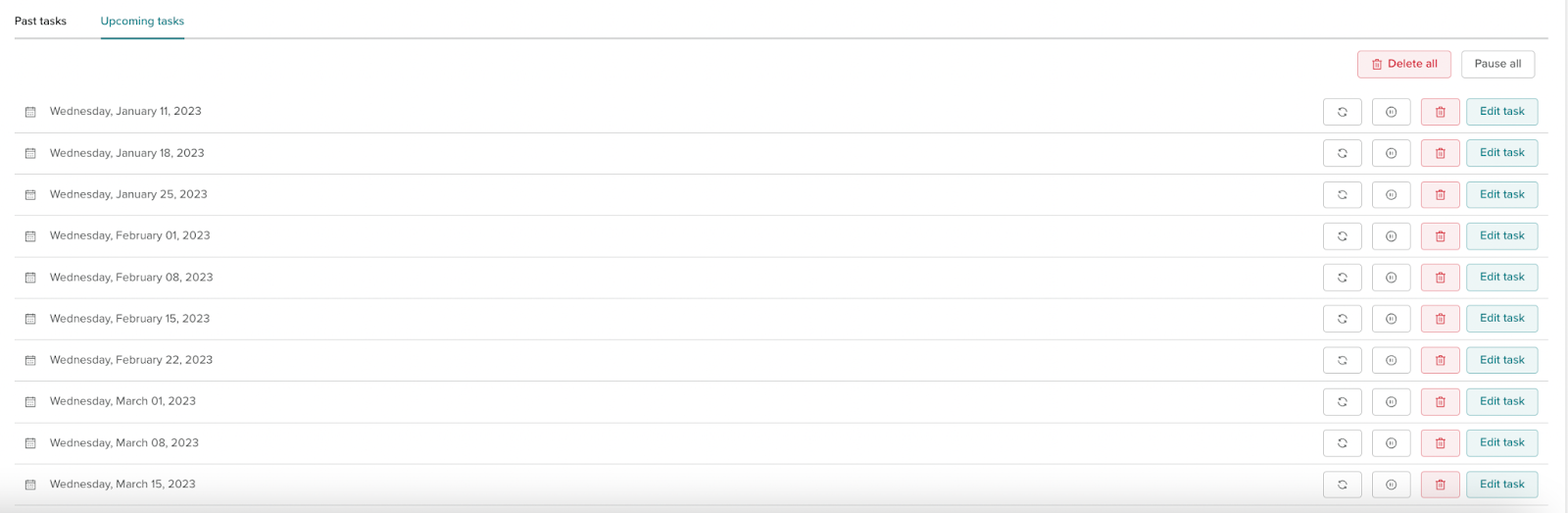
To edit details of a future instance, click the edit task button next to the chosen instance.
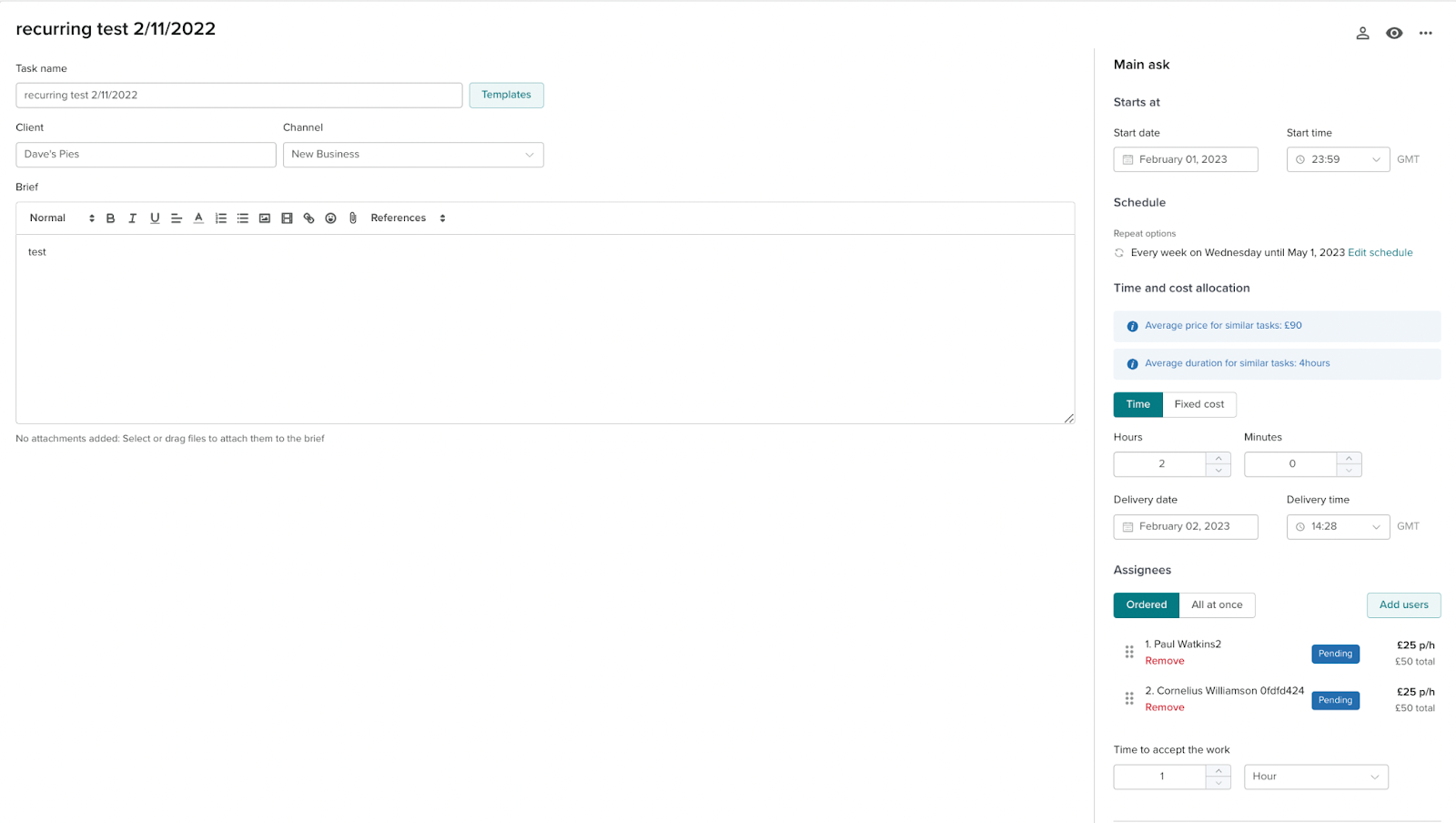
From here you can edit the brief, minutes and deadlines of the future instance.
When saving changes there will be three options to choose from.
This event only
Your changes will only impact the event you are directly editing.
This and the following events.
Your changes will only impact the event you are directly editing and the events following.
All future events
Your changes will impact all future events.