
To create a task, navigate to your my tasks page.
Click Create Task
Then add users to the task by pressing the ‘Add user’ button. This will open the croudie picker.
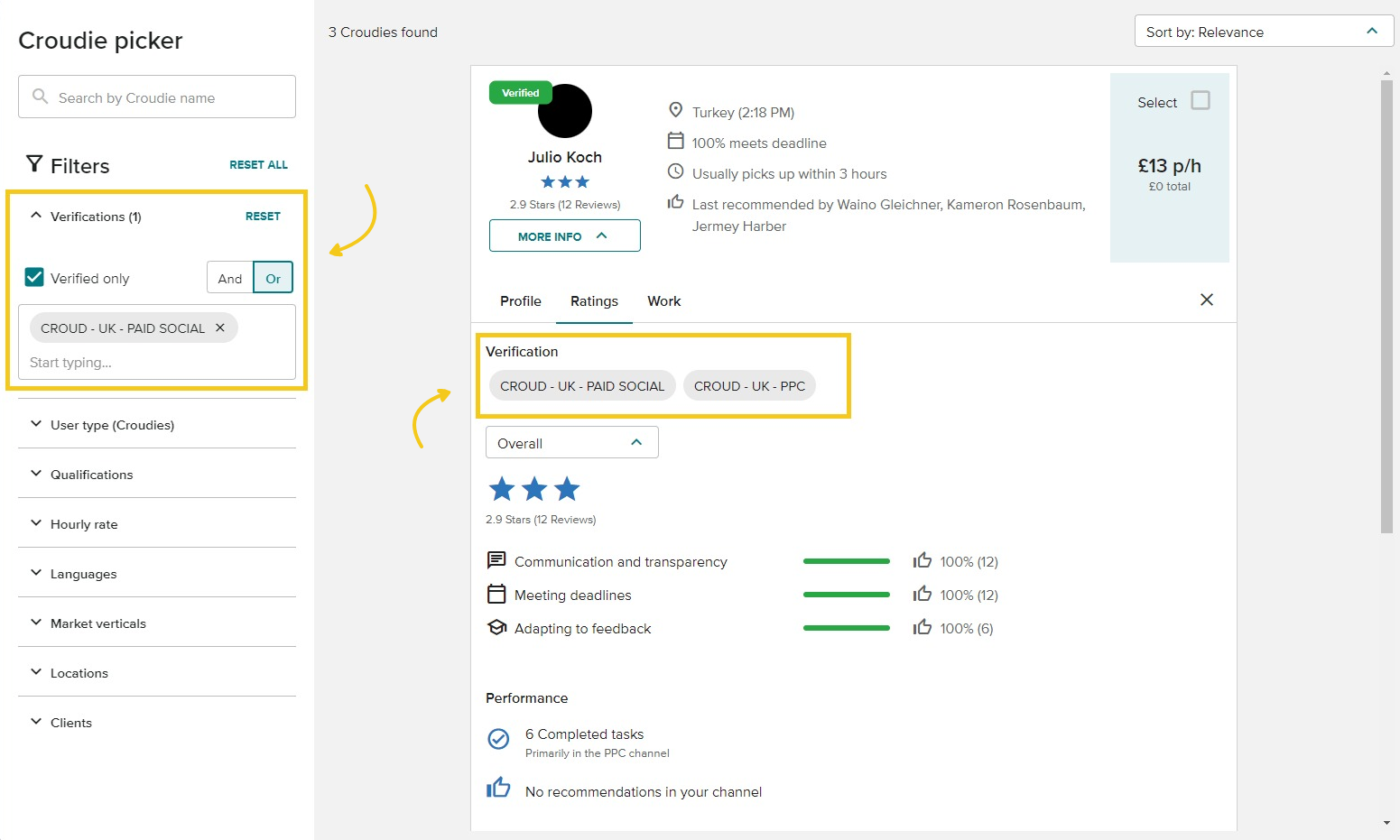
Filter for team-specific verified Croudies
Through the ‘verified’ tag, your team gives their seal of approval to the Croudies whose quality of work meets your team's high standards. The Croudie Picker will default to verified croudies. Find your team-specific go-to croudies by utilising the ‘Verifications’ filter on the left-hand side.? You can continue using unverified croudies by removing the filter.
If you are missing verifications for your trusted croudies, contact the Network team. A Croudie will only be considered for verification if they have completed at least five tasks within the channel. The Croudie should have proven to be a holistic expert in the channel rather than a narrow specialist for one specific task type. This team is contactable at croudsupport@croud.com.